
We’re excited to announce a brand-new update for our WooBooster Partial COD plugin 2.0!
With this release, store owners now get more flexibility in charging extra fees on Partial Cash on Delivery (COD) orders — along with full support for applying Tax (or any WooCommerce tax class) on those fees.
Why This Update?
Many store owners told us:
- We want to charge a small handling fee when customers choose Partial COD.
- The extra fees should also include GST, just like our other products.
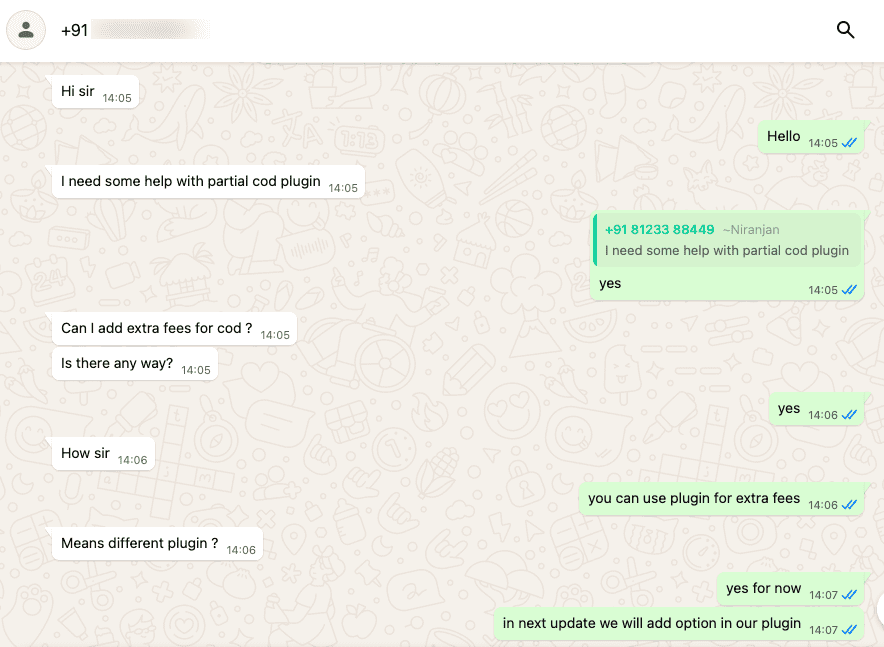
We heard you! This update makes it possible to:
- Add an extra fee for Partial COD.
- Decide whether that fee should be taxable (with GST or any tax class)
- Keep everything automatically calculated inside WooCommerce.
How It Works
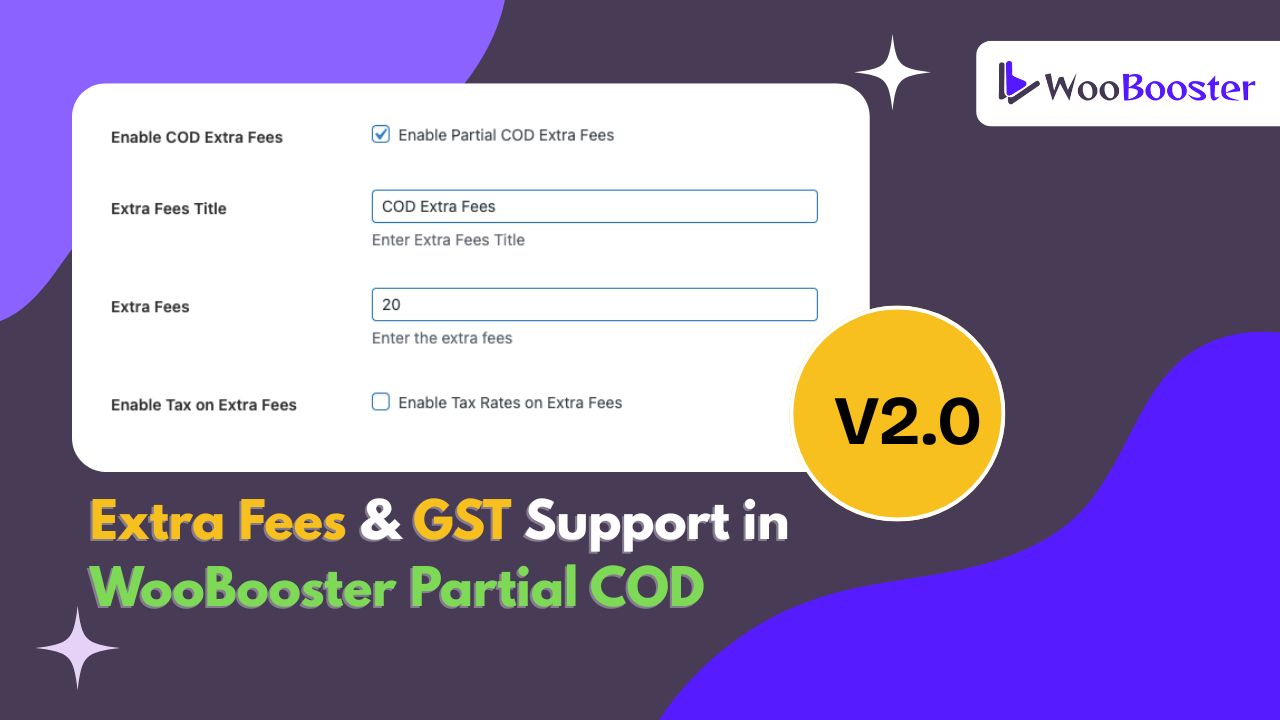
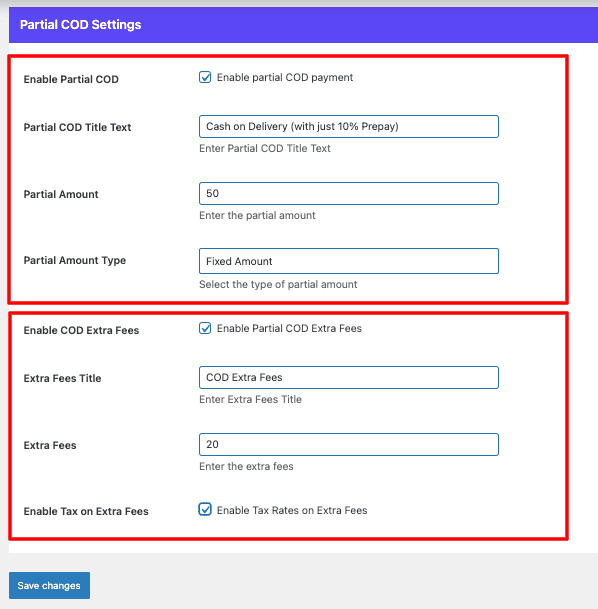
Inside your WooCommerce → Settings → Partial COD, you’ll now see:
- Enable COD Extra Fees → Turn fees on or off.
- Extra Fees Title → The label that appears in the cart/checkout
- Extra Fees Amount → How much you want to charge
- Tax Handling → If taxes are enabled in WooCommerce, the fee will automatically include GST or your chosen tax class.
We’ve made sure your extra fees respect WooCommerce’s tax settings:
- If Taxes are enabled → GST (or any defined tax rate) will be applied on the COD fee.
- If Taxes are disabled → The fee will be added as a flat amount, without tax.
So, you don’t need to worry about incorrect calculations — WooCommerce handles everything for you.
Why This Matters for Store Owners
- Recover handling or operational costs for COD orders.
- Stay tax compliant by applying GST automatically.
- Keep checkout simple & transparent for customers.
Final Words
This update gives you more control over how Partial COD works in your WooCommerce store. Whether you want to add a small handling charge, include GST, or simply keep your checkout fair and transparent — this feature has you covered.
Update your plugin in 2.0 today and start using Partial COD Extra Fees with GST support! 🚀